



If you'd like to be the Administrator for the price for a particular country, please contact Wild Man Software at WildMan@ExactChange.Info
Overview
A Price List Administrator has control over the price list for whichever country they're administering. Maintaining price lists for the entire world is a monumental task but users who elect to administer the price list for a particular country move Exact Change toward the goal of becoming a source of world coin pricing in order to fill that current void.
It's our intention to give the Admin autonomy over their price list so that your price list becomes the "Master copy". As you make changes to the price list, you can send a copy of the price list file whenever you so choose and we'll post it so that others can download it. It does not matter what currency system you use when modifying a price list; Exact Change will convert it as needed. For example, you can enter prices in Euros and when we open it here, those prices will appear in U.S. dollars.
Making changes to the series structure for your country
When a price list is downloaded, Exact Change actually downloads two files, a "Price" file and a "Country" file. The price file is the file that contains the data you see on the "Prices" page in Exact Change. The country file is a behind-the-scenes file that tells the program what series there are for a country; all of the information needed to add a country to a collection and create all of those new series is included in that country file. When you add a country to your collection, Exact Change reads from the country file all of the data about the series in that country and it then adds that data to your collection file. As an administrator you edit the price file but we'll create the country file (it's created via computer code).
As an Administrator, you may want to change some information about a series, change it's name, it's position or any other series settings. Since that kind of information is part of the country file, rather than the price file, there's a particular way to accomplish that. Start by making the desired changes to a collection file (either your regular collection file or just start a new collection and make the changes). You can move series around in Exact Change by holding down the Shift key as you click and drag a series to a new location on the Series page. If you right-click on a series and select "Properties" from the pop-up menu that appears, you'll be able to change the name of the series or any of the other setting such as shape, weight, face value and so forth. If you make all the changes you want and then send us that collection file, we can easily identify the changes you've made and we'll then modify the country file to reflect the changes you made.
If you create a new series within your country, the program will consider that new series to be a "User-defined series", meaning that any prices you enter in that series will be stored in the USER price list rather than the price list for your country, The solution is to add the series to a collection and send us that co/llection file. As in the previous paragraph, we can easily identify that new series and we'll add a series to the country file to match what you've added. In this instance you'll want to send in the file and get the revised country file from us before you add pricing data in the new series. Prices you add the the user-defined series will go in the user price list but if we add the series by modifying the country file then prices in that series will go in your country's price file.
Administrator graphic
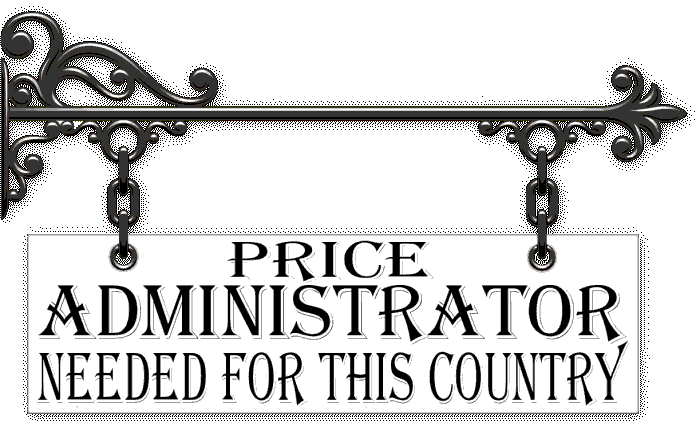
As a Price List Administrator, you can provide a graphic that will appear in the lower-right corner of the series editor whenever a series from your country is selected. If artwork isn't your strongpoint, we'll be happy to assist with that. The graphic should indicate who the administrator for that price list but you can promote your coin business if you wish,
The image should be 300 pixels wide and 200 pixels high. It may contain transparent areas; the default sign pictured above has transparent areas. The image may appear larger or smaller than it's actual dimensions, depending on each user's screen resolution. For that reason, it's best to not include really small text.
When an image is added for a new administrator, it will appear when the next program update is posted.